



ReadWriteWeb

Ready For a Multi-Touch Web?

Written by RWW Sponsor / June 2, 2009 3:30 AM / 10 Comments

Aplus.netEditor's note: we offer our long-term sponsors the opportunity to write 'Sponsor Posts' and tell a story. These posts are clearly marked as written by sponsors, but we also want them to be useful and interesting to our readers. We hope you like the posts and we encourage you to support our sponsors by trying out their products.

Imagine a world without keyboards. Futurist Ray Kurzweil did 10 years ago when he predicted that by 2009 most portable computers would not have them any longer. Chances are you're still using a mouse and keyboard to point and click your way through this post (and the thousands of other Web pages you view every week). Yet a change is fast approaching, and it's based on touch.

Gesture-based interaction has been around since the dawn of computing, really, and Kurzweil's vision has come true, at least in part, thanks to the widespread adoption of trackpads for laptops (not to mention their predecessors: the trackball, stylus, and light pen). Meanwhile, touch-enabled screens are all around us: in ATMs, GPS navigation systems, grocery checkout lines, bars and restaurants, and TV (think CNN's election maps, and remember Star Trek: The Next Generation from the 1980s?). Yet single-user desktop systems are still mostly dependent on mice and keyboards.

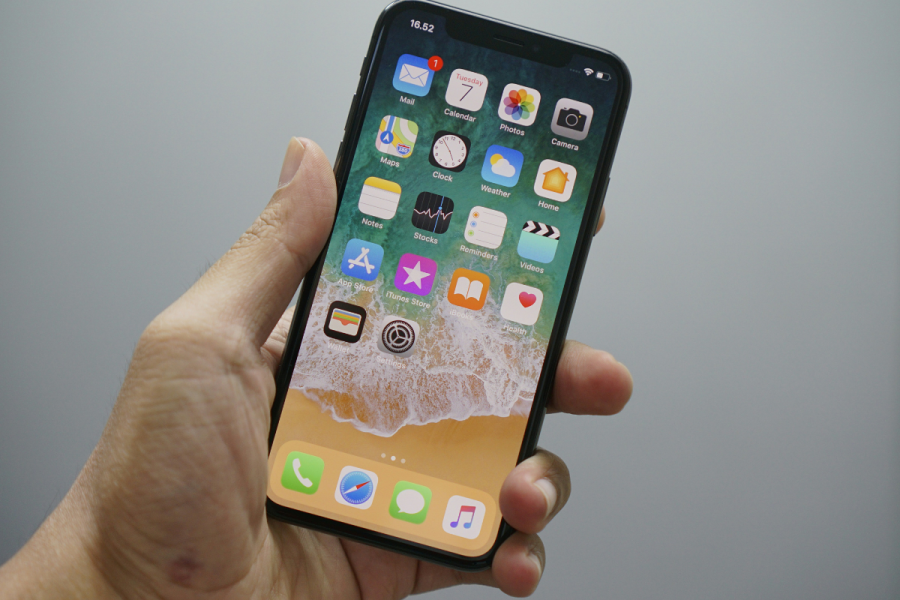
With the advent of Apple's wildly popular iPhone (soon to be joined by the Palm Pre), we've gotten a taste of the potential of multi-touch technology, at least for mobile devices. Now they're being joined by a new wave of interactive walls and tables: Microsoft's Surface, Hitachi's StarBoard, and Sony's new multi-touch LCD screen.

The New Metaphors of Touch

Multi-touch and other touch surfaces offer a more intuitive and natural interaction with PCs, transforming the way we use computers, much the way GUI systems did when they were introduced 25 years ago. While some tasks may still be easier to perform using traditional input devices like the keyboard and mouse, multi-touch is ideal for manipulating objects; creating, editing, and scanning pictures; navigating maps; and even surfing the Web. Gesture-based human/computer interaction represents an evolutionary step, not just in the design of hand-held devices and PCs but also in the look, feel, and functionality of websites.

"Pinch," "de-pinch," "flick," "stretch." This is the growing vernacular of multi-finger and gesture motions. Our current devices (mouse, trackpad, etc.) are designed to focus on a single point and manipulate that point around the screen. With multi-touch, no longer are you limited to double-clicking, dragging, button-pushing, and working pull-down menus. You can sketch, paint, re-size, and crop with a single finger, multiple fingers, multiple hands, and even multiple users. Objects become things you swipe, zoom, push, pull, spin, rotate, and flip.

A More Interactive, Collaborative Experience

Following the introduction of the iPhone, Surface, TouchSmart TX2 multi-touch tablet, and N-trig's DuoSense digitizers, we wonder, too, what's coming next? More intriguing for us as a Web hosting company is how this will transform the online experience: the look and feel of websites, their functionality, and your interaction with them?

There are a few hints of the multi-touch future to come. Bill Buxton is a pioneer in the field of multi-touch. His "Multi-Touch Systems That I Have Known and Loved" outlines degrees of freedom, a concept central to expanding the boundaries of how we interact with computers:

"The richness of interaction is highly related to the richness/number of degrees of freedom (DOF) and, in particular, continuous degrees of freedom, supported by the technology. The conventional GUI is largely based on moving around a single 2-D cursor, using a mouse, for example. This results in 2DOF. If I am sensing the location of two fingers, I have 4DOF, and so on."

DOF then opens up nearly endless possibilities for one-surface computing based on your actions: discrete or continuous, horizontal or vertical orientation, pressure sensitivity, angle of approach, friction, and so one, all influenced by the single or multiple points and gestures you use.

Multi-Touch Made Real

Buxton, Kurzweil, and visionary Jefferson Han provide only a glimpse of what tomorrow's multi-touch websites might look like. No one really knows for certain. Yet they will likely contain at least a few of the following elements:

  • Virtual buttons and signatures;
  • A faster, more efficient GUI in which the user can customize their own site menu size and shape: for example, by representing layers as individual cards of a card deck;
  • Items with 3-D characteristics, with fronts and backs that can be flipped over and rotated.

Joel Eden, a user experience consultant, provides some excellent suggestions for "Designing for Multi-Touch, Multi-User, and Gesture-Based Systems," listing several characteristics that apply as much to website design as to software development. These include:

  • Affordances: focus on features, actions, and interactions that can be represented visually;
  • Engagement: focus users on simple, quick, natural interactions;
  • Feedback must be immediate and easily noticeable by all concurrent users;
  • Don't make us think: minimize hidden functionality, except for contextual features that only make sense when revealed during specific interactions.

It may not be time yet to ditch your keyboard and retire your mouse. But sometime between the iPhone and Surface table-top computing, laptop and desktop multi-touch applications will emerge. Interested in a sneak peek at what a multi-touch website might look like? Take a look at these prototypes, and share your examples and ideas!


Comments

Subscribe to comments for this post OR Subscribe to comments for all ReadWriteWeb posts

  1. Not only does the multitouch web already exists for the iPhone OS, it exists in every Mac laptop. Using a three-finger horizontal swipe on the touchpad navigates between pages. Using a two-fingered swipe scrolls pages.

    Posted by: Michael Critz | June 2, 2009 4:19 AM


  2. Even if touch and virtual interfaces took over, there would still be virtual keyboards.

    And if there weren't any, I would code them myself. But I doubt that would happen.

    And yes, multi-touch is expanding rapidly. You can see that through Apple's offering of iPhone and iPod Touch (And possibly a Media tablet soon) and Microsoft is starting with Surface and Windows 7 touch apps, ... And other companies are also rushing to get their stuff out too.

    And that's just the beginning. :)

    Posted by: Fyre Vortex | June 2, 2009 7:57 AM


  3. Touch apps are the new fad, but I do not see the mouse going away...

    plus, do they still teach typing in schools? LOL...if not, that class would be called Touch101...of the kids will have fun with that one!

    Posted by: College Chris | June 2, 2009 8:21 AM


  4. I can just imagine how homes and offices will look like 10 years from now ... we'll become ultra effective and efficient- and also handicap since everything will be done quick, fast. Hopefully we don't lose our intellect in the process.

    - L. Berstein
    ludwigreport.com

    Posted by: Ludwig Berstein | June 2, 2009 9:00 AM


  5. Accessibility will be an issue, both for visually impaired and mobility impaired users.

    I still like tactile keyboard even on my cell phone

    Posted by: ncj | June 2, 2009 9:03 AM


  6. @Michael Critz

    Good point. I'm a Mac user myself. Certainly, Apple is - and has been - an innovator with its multi-touch trackpad. Industry wide, that's another important development in advancing the whole multi-touch concept; it's not just touch screens. But whether it involves trackpads or screens, our intent with this post was to focus on how designers and developers are adapting to the possibilities of this interface in how they structure their websites: use of gestures, layers, virtual buttons, all of that. It's just the beginning...

    Posted by: Dave Macaulay (Aplus.net) | June 2, 2009 9:22 AM


  7. The planned Bombers On The Prairie Museum is very interested in using multi touch tables to share timelines, stories, photos, video clips of B-29 Bomb Groups and their crews trained on the plains of Kansas in WW II.
    An example of such a device is http://www.ideum.com/products/multitouch.html or
    devices based on http://www.microsoft.com/surface/

    Large amounts of data can be made available to visitors in a compact and friendly inviting way for small museums using these devices.

    Posted by: Milt | June 2, 2009 10:21 PM


  8. @Fyre Vortex

    Excellent thoughts. You're right about the keyboard: how else will we be able to input words, phrases, whole sentences? But imagine this: keyboard functionality that borrows from the texting shortcuts you see with phones; better integration of the QWERTY keyboard with trackpads and other touch interfaces; even greater use of voice recognition.

    Regarding new multi-touch hardware, Apple's Media Pad touchscreen is not just a rumor, it's coming. Add to that the HP TouchSmart tx2 Notebook PC and new touch devices coming from N-trig (the DuoSense® - Transparent Electromagnetic Digitizer) and there are some very exciting things happening!

    Posted by: Dave Macaulay (Aplus.net) | June 5, 2009 9:17 AM


  9. @College Chris

    Me neither. But it might be evolving, getting better, more multi-functional. We've seen wheels, balls and optics added to improve it over its lifespan of more than 40 years. It's gone wireless and continually becoming more ergonomic.

    Building a better mouse seems to be a topic of interest to many inventors and innovators. Take a look at the Ergoware blog's "Coolest Computer Mice on the Market Today" [ http://www.ergoware.com/blog/coolest-computer-mice-on-the-market-today ] or the paper "Adding Gestures to Ordinary Mouse Use: a New Input Modality for Improved Human-Computer Interaction" from an IEEE conference in 2007.

    Posted by: Dave Macaulay (Aplus.net) | June 5, 2009 9:37 AM


  10. @ncj

    Excellent addition to this discussion.

    Posted by: Dave Macaulay (Aplus.net) | June 5, 2009 9:39 AM


Leave a comment

Optional: Sign in with Connect Facebook   Sign in with Twitter Twitter   Sign in with OpenID OpenID  |  
RWW SPONSORS


FOLLOW @RWW ON TWITTER

ReadWriteWeb on Facebook


TEXT LINK ADS